

Microsoft Entra Agent ID is designed to provide identity capabilities specifically for AI agents within Microsoft Entra ID. At its core, it introduces identity accounts that allow AI agents to be uniquely identified and authenticated across Microsoft environments.
These agent identities form the foundation for secure and scalable AI agent deployment. They help address the growing security and operational challenges introduced by AI agents by ensuring that every agent operates with the correct identity, access scope, and governance controls.
Why Microsoft Entra Agent ID Exists
As organizations build and deploy AI agents, especially at scale, new challenges emerge. When a single agent is deployed across multiple instances, it becomes critical to distinguish the actions performed by AI agents from those performed by users, workloads, or customers.
Microsoft Entra Agent ID exists to solve this problem. It prevents AI agents from unintentionally gaining elevated privileges or accessing sensitive systems they were never intended to reach. This is particularly important in environments where agents are provisioned and deprovisioned rapidly.
Agent identities also enable scalable identity management. Large numbers of AI agents can be created and destroyed without compromising security or operational clarity. Each agent receives right-sized access, ensuring it can perform its tasks without exceeding its intended permissions.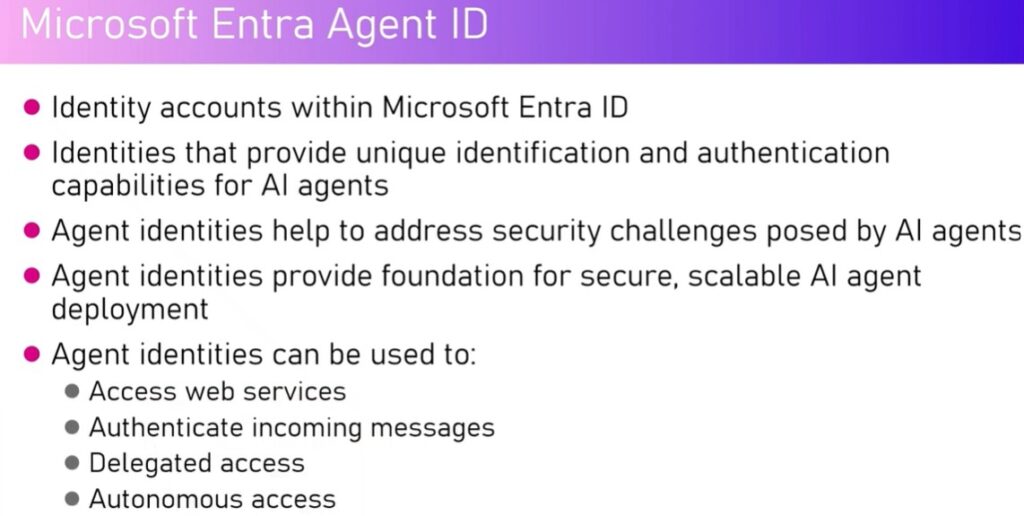
What Agent Identities Enable
Agent identities can be used to:
-
Access web services securely
-
Authenticate incoming messages
-
Support autonomous and delegated access scenarios
-
Enforce separation between AI agents and human identities
By assigning identities to agents, organizations gain visibility, control, and governance over how agents interact with systems and services.
Agent Blueprints Explained
Agent identities are provisioned from blueprints. A blueprint acts as a parent template that powers agent identities within a tenant. Every agent created is associated with an agent identity, and that identity is derived from a blueprint.
Blueprints define how agent identities are created and managed. Multiple agents can be linked to a single blueprint, allowing consistent identity behavior across similar agents. Not all agents are required to have a blueprint, but when used, blueprints provide structure and control at scale.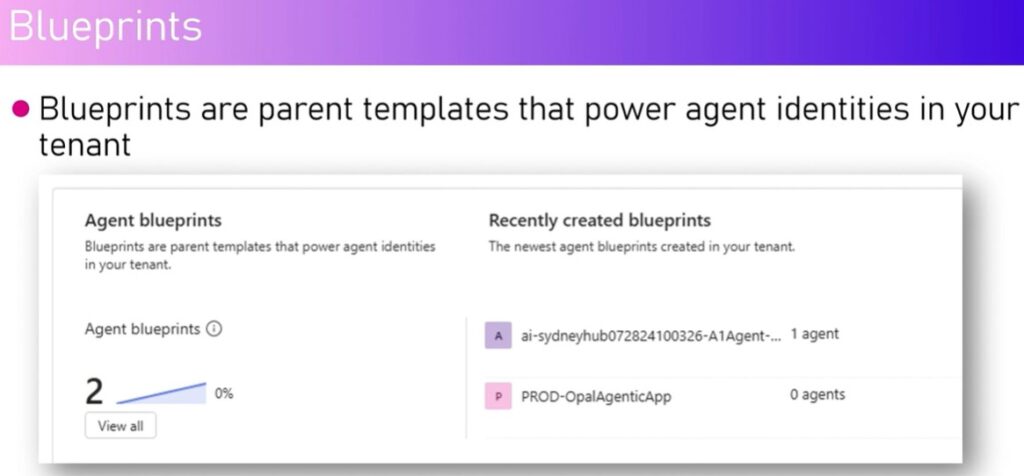
Managing Agent Identities in Microsoft Entra
Within the Microsoft Entra admin experience, a dedicated Agent ID capability provides full visibility into all agent identities in a tenant. From this interface, administrators can view:
-
All agent identities
-
Agent status (active or inactive)
-
Object IDs and blueprint associations
-
Owners and sponsors
-
Whether an agent uses an identity
This centralized view allows organizations to apply governance policies, secure agents by default, and manage the full lifecycle of agent identities using Entra’s integrated registry and lifecycle management system.
Blueprint Control and Lifecycle Management
Each blueprint shows how many agent identities are linked to it, when it was created, and what level of access it has. Administrators can:
-
Disable a blueprint to prevent new agent identities from being created
-
Retain functionality for existing agent identities
-
Review admin and user consent permissions
-
Assign owners and sponsors
-
Review audit logs and sign-in activity
Disabling a blueprint does not disable existing agents. Instead, it stops the creation of new agent identities based on that blueprint.
Agent Collections and Governance
Agent identities can also be organized into collections, which may be predefined or custom. Examples include:
-
A global collection visible to all identities in the tenant
-
A quarantine collection for restricted or isolated agents
Collections further enhance governance by grouping agents based on purpose, trust level, or operational state.
Integration Across Microsoft Platforms
Microsoft Entra Agent ID integrates seamlessly across platforms such as:
-
Microsoft Copilot Studio
-
Power Platform Admin Center
-
Microsoft 365 Admin Center
-
Azure AI Foundry
While Copilot Studio focuses on agent creation and configuration, identity-specific details such as Agent ID, blueprint associations, and governance settings are managed through the admin centers. This separation ensures clarity between agent functionality and identity governance.
Summary
Microsoft Entra Agent ID is an identity account within Microsoft Entra ID that provides unique identification and authentication capabilities for AI agents. It plays a critical role in securing, scaling, and governing AI agents across the Microsoft ecosystem.
By using agent identities and blueprints, organizations can safely deploy AI agents with controlled access, clear accountability, and enterprise-grade security. Beyond security, agent identities enable authenticated communication, delegated access, and seamless integration with web services—making them a foundational component of modern AI agent architectures.