

Modern business can no longer afford a “just working” server. In the era of high-load systems, distributed cloud architectures, and constant cyber threats, infrastructure becomes the foundation upon which profit directly depends. If your online store “goes down” during a sale, or corporate email is blocked due to overflowing SQL server logs, you lose not only money but also your reputation.
For many companies—from ambitious startups to large industrial holdings—the question arises: should you hire an in-house system administrator or outsource the tasks? The main stopping factor when choosing the second option is uncertainty. How much does server administration cost, what exactly is included in that price, and how can you avoid paying for “thin air”?
In this article, we will conduct a deep audit of the IT outsourcing market, break down pricing models, and show how an expert approach to DevOps and system administration saves up to 40% of the IT budget.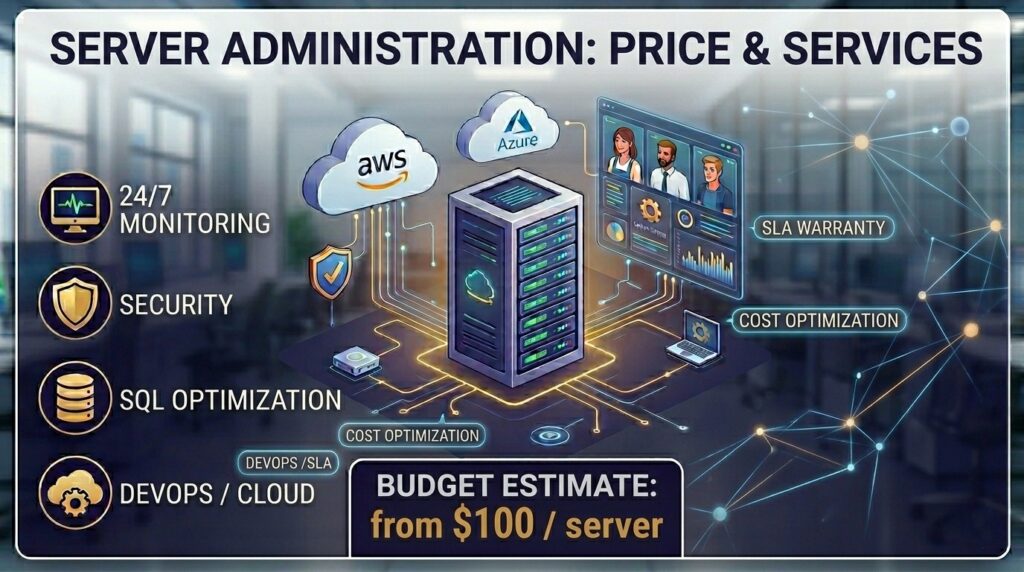
Why Is Business Moving to Server Outsourcing?
The era of the “system admin in a sweater” who reinstalls Windows and fixes printers is over. Today, administration is about working with Infrastructure as Code (IaC), containerization (Docker/Kubernetes), cloud providers (Microsoft Azure, AWS, GCP), and ensuring Business Continuity Planning (BCP).
1. Economic Benefit
The average salary of a Middle DevOps Engineer or an experienced system administrator starts from $1,500–$2,500. Add to this taxes, workplace costs, software licenses, and recruitment/training expenses. Server outsourcing allows you to get a team of experts for the price of one in-house employee (or even less).
2. 24/7/365 Expertise
An in-house employee goes on vacation, gets sick, or sleeps at night. A server doesn’t choose a time to fail. An outsourcing company provides 24/7 support, where a whole team with on-duty engineers is responsible for system stability, not just one person.
3. Access to Enterprise-Level Technologies
By handing over your infrastructure to experts, you gain experience accumulated from hundreds of projects. Setting up automated backups in Azure, migrating Exchange servers without downtime, implementing GitOps via ArgoCD or Flux—these tasks require specialized knowledge that is difficult to find in a “universal” admin.
Server Administration: Price and Service Packages
The cost of services is formed individually based on the complexity of the architecture and SLA (Service Level Agreement) requirements. However, certain price ranges have established themselves in the market.
Estimated Monthly Cost (2026 Pricing)
| Service Package | Target Audience | Approx. Price (per unit) | What’s Included (Base) |
| Basic (Reactive) | Small business, landings, simple websites | from $50 / server | Incident response, OS updates, backup |
| Standard (Proactive) | Medium business, e-commerce, CRM systems | from $150 / server | 24/7 monitoring, security, SQL optimization |
| DevOps / Cloud | Startups, Enterprise, High-load | from $500 / project | IaC (Bicep/Terraform), CI/CD, Kubernetes, Azure/AWS |
| One-time Works | Migration, audit, setup from scratch | from $40 / hour | Terms of Reference, mail migration, security audit |
What Is Included in Professional Administration?
Buying “server administration at a price” lower than the market rate often results in the business getting only a “ping” of the server. A professional approach includes multi-level work.
1. Monitoring and Incident Response
This is not just checking if the site is “alive.” It is a deep analysis of metrics:
- CPU and RAM load (searching for memory leaks).
- Disk subsystem I/O (especially critical for SQL Server databases).
- Log analysis for anomalies and hacking attempts.
- Response Time: The response time for a critical failure in professional companies ranges from 15 to 30 minutes.
2. Support for Cloud and Hybrid Infrastructures
If your business uses Azure, AWS, or Google Cloud, administration becomes more intelligent. It includes:
- Cost Management (FinOps): Resource optimization so you don’t pay for unused capacity.
- Automation via Bicep or Terraform: Deploying infrastructure as code, which eliminates the human factor.
- Azure Backup and Disaster Recovery: Setting up recovery plans that guarantee the system starts in another region in case of a global failure.
3. Database and Corporate Software Management
Special attention is paid to SQL Server and Microsoft Exchange. These are the “heart” of the corporate IT system.
- SQL Server: Maintenance plans, transaction log growth control, index optimization.
- Exchange: Planning and implementing migrations (e.g., transition from Exchange 2010 to 2019 through intermediate stages), configuring email traffic security.
4. Security and Compliance
Server outsourcing today is impossible without data protection.
- Firewall and VPN configuration.
- Multi-factor authentication (MFA) via Entra ID (formerly Azure AD).
- Regular patch management (closing OS vulnerabilities).
- DDoS attack protection.
Detailed Breakdown: What Makes Up “Server Administration Price”?
Many clients ask: “Why does service cost $100 for some companies and $500 for others?”. Let’s look “under the hood” of pricing.
Depth of Monitoring
A cheap service monitors only the availability of port 80 or 443. An expensive one monitors business metrics. For example, if the number of orders in the cart drops sharply to zero while the server is “green,” the monitoring system should raise an alarm, as the problem may be in the application logic or the connection with the payment gateway.
Technology Stack
Administering a simple Linux VPS with a control panel like ISPmanager is cheap. But if your infrastructure is:
- Kubernetes clusters;
- Distributed databases with replication;
- Complex CI/CD pipelines in GitLab or GitHub;
- Infrastructure described in Azure Bicep.
In this case, Senior-level engineers are required, whose time costs significantly more, but the level of system reliability increases by orders of magnitude.
SLA (Service Level Agreement)
SLA is the legally binding responsibility of the provider. The higher the required uptime (e.g., 99.99%) and the shorter the response time to an incident, the higher the price. You pay for an engineer to drop everything and start solving your problem at 3 AM on New Year’s Eve.
Comparison: In-house Admin vs. Outsourcing Company
To make a decision, a CTO or business owner should look at the numbers and risks.
| Parameter | In-house System Administrator | Server Outsourcing |
| Cost | High (Salary + taxes + office + software) | Flexible (pay only for the result) |
| Working Hours | 8 hours / 5 days (usually) | 24 / 7 / 365 |
| Knowledge Level | Limited by one person’s experience | Collective experience of the whole company |
| Resignation Risk | Critical (takes knowledge with them) | Minimal (contract with a legal entity) |
| Scalability | Slow (need to hire more people) | Instant (adding new services) |
How to Choose an Outsourcing Partner?
The market is full of offers, but not all are equally useful. Here is a checklist to verify a potential contractor:
- Case studies in your niche. If you are in fintech, the company should have experience with PCI DSS. If you have e-commerce—experience with high-load.
- Tooling. Ask what monitoring systems they use (Zabbix, Prometheus, Grafana) and how they automate tasks. If everything is done “manually”—it’s a risk of errors.
- Security. How are credentials shared? Are password managers, VPNs, and SSH keys used? Is there an audit of engineer actions?
- Reporting transparency. Will you see what you are paying for? The ideal option is a monthly report with uptime metrics, a list of completed tasks, and optimization recommendations.
- Communication. It is important that support understands your specific context, including your providers and network requirements.
Practical Case: Azure Cost Optimization
A large retailer approached us. Their Microsoft Azure costs were growing every month, while performance issues with SQL databases occurred periodically.
What was done within the administration framework:
- Resource Audit: Identified “overprovisioned” virtual machines.
- Migration to Bicep: Moved infrastructure management to IaC, allowing for rapid deployment of test environments and their deletion after use.
- SQL Server Optimization: Configured maintenance plans and migrated to Azure SQL Managed Instance, which reduced CPU load by 30%.
- Result: Infrastructure costs decreased by 25%, and site response time was cut in half.
FAQ: Frequently Asked Questions about Server Administration
1. Can outsourcing fully replace an IT department?
Yes, for small and medium businesses, this is a common solution. For large corporations, outsourcing becomes an excellent addition, taking over routine (L1/L2 support) and complex infrastructure tasks, freeing up internal developers to work on the product.
2. Is it safe to give server access to a third-party company?
It is safer than having one admin with passwords in a notebook. Professional companies work under an NDA, use access control systems (Privileged Access Management), and bear financial responsibility for data safety.
3. How fast is the transition to outsourcing?
Basic transfer of rights and monitoring setup takes 1 to 3 business days. A full audit and implementation of security standards can take from 2 weeks to a month.
4. Does server location affect the price of administration?
The physical location of the server (Europe, USA, etc.) hardly affects the price of administration services, but it does affect architectural decisions (network latency, data storage laws).
5. What if I have specific software (e.g., DSpace or a custom CRM)?
Expert teams first conduct an audit. If software documentation exists and the architecture is clear, support for specific software is simply included in the work schedule.
Conclusion
Server administration and its price are an investment in the stability of your business. In 2026, outsourcing is no longer just a way to save money. It is a way to gain access to DevOps technologies, Azure/AWS cloud expertise, and a guarantee that your project will be available to clients in any situation.
Don’t wait for the server to “fall.” Preventive maintenance is always cheaper than emergency recovery.
Ready to optimize your infrastructure?
Contact us for an express audit of your system. We will analyze current costs, find bottlenecks, and offer an administration package that perfectly suits your tasks and budget.