

Modern IT infrastructure demands flexibility, speed, and reliability. When a business faces the need to scale, transition from a monolithic architecture to microservices, or migrate to the cloud, technical leadership inevitably confronts the choice of the right toolset. Most often, the discussion boils down to which is better to use: Docker or Kubernetes.
If you make architectural decisions, serve as a CTO, tech lead, or owner of a growing company, understanding the key differences between Docker and Kubernetes is critical for planning budgets and release timelines. A mistake at the infrastructure stack selection stage can lead to excessive server costs, overcomplicated CI/CD processes, or conversely, an inability to handle a sudden surge in traffic.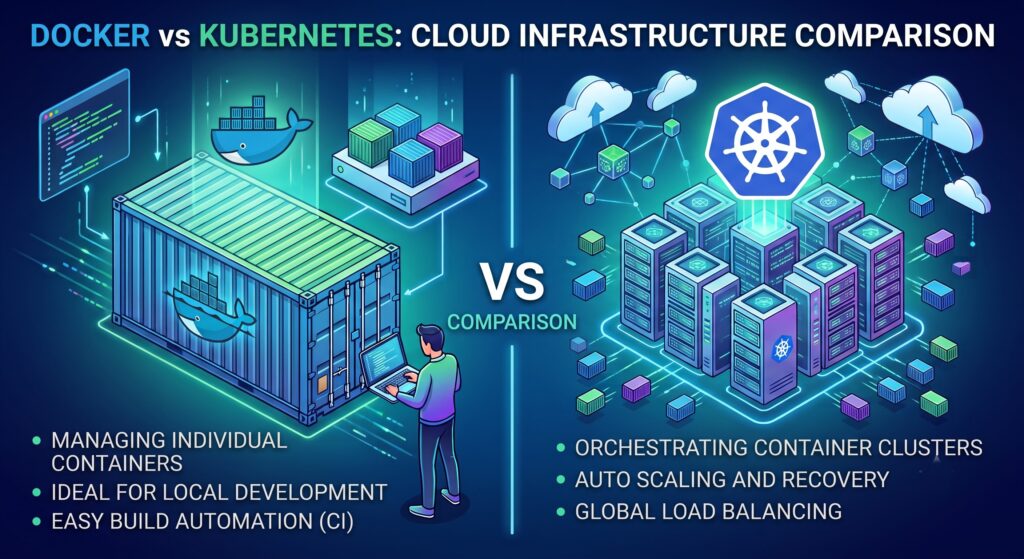
In this article, we will break down how both technologies work, when lightweight containers are sufficient, when a powerful orchestrator is vital for the business, and how they interact in modern cloud environments (AWS, Azure, GCP).
What Is the Fundamental Difference Between the Technologies?
To make the right choice, it is essential to clear up a major technical misconception from the start. Asking whether Docker or Kubernetes is better is technically inaccurate. They are not mutually exclusive technologies, but tools that solve different problems at different abstraction levels.
Comparing them directly is like choosing between a car engine and a fleet management system. They are designed to work together, though they can also be used in other combinations.
What Is Docker and What Problem Does It Solve?
Docker is a platform for developing, delivering, and running applications in isolated environments called containers. Before Docker, developers constantly faced the “it works on my machine” problem. An application could run perfectly on a programmer’s laptop, but break on a staging or production server due to differing library versions, operating systems, or hidden dependencies.
Docker solved this issue by packaging the application itself along with all its required dependencies (libraries, system utilities, configuration files) into a single, standardized unit—a Docker image.
Key Advantages:
- Isolation: Each container operates in its own isolated environment without interfering with other applications on the same server.
- Portability: An image built on a local machine will run identically in AWS, on an Azure server, or in a local data center in Kyiv.
- Resource Efficiency: Unlike traditional virtual machines (VMs), containers do not require a guest operating system for each instance, making them lightweight and able to spin up in seconds.
For smaller projects, Docker Compose is frequently used. It allows you to define the configuration of multiple interconnected containers (e.g., a web server, database, and cache) in a single file and start them with a single command.
What Is Kubernetes (K8s) and Why Is It Needed?
If containers are standardized shipping boxes, Kubernetes is a massive automated port terminal complete with cranes, dispatchers, and logistics systems.
Kubernetes (or K8s) is an open-source container orchestration system originally developed by Google engineers. When your project grows from 2–3 containers to dozens or hundreds of microservices distributed across various servers (nodes), managing them manually becomes impossible.
An orchestrator takes over the routine management of a complex distributed system.
Core Functions of an Orchestrator:
- Auto-scaling: If traffic to your online store spikes during Black Friday, K8s automatically spins up new copies (pods) of the necessary service to handle the load, then terminates them when traffic subsides.
- Self-healing: If a container hangs or a server fails, the system immediately detects it, restarts the container, or reschedules it onto a healthy node. Users won’t even notice the disruption.
- Traffic Management and Load Balancing: The platform automatically distributes incoming requests across healthy instances of the application.
- Zero Downtime Deployment: Rolling updates allow you to deploy new versions of code gradually without downtime.
Detailed Comparison: Docker vs. Kubernetes
To clearly illustrate where each tool’s responsibilities lie, we prepared a comparative table to help tech leaders quickly evaluate the scale of both solutions.
| Feature | Docker (including Compose) | Kubernetes |
| Primary Goal | Creating, packaging, and running individual containers | Managing thousands of containers across a cluster of servers |
| Abstraction Level | Application and its dependencies | Infrastructure, networking, load balancing, and fault tolerance |
| Implementation Complexity | Low. Can be learned and implemented in a few days | High. Requires deep DevOps expertise and a dedicated team |
| Scaling | Manual (requires engineer intervention) | Automatic (based on CPU, RAM metrics, or custom events) |
| Load Balancing | None out of the box (requires Nginx/HAProxy) | Built-in (Ingress, Services) |
| Resource Requirements | Minimal (runs great on a single low-spec server) | High (requires resources for Control Plane, minimum several nodes) |
| Target Audience | Developers, QA, small startups | Sysadmins, DevOps/SRE engineers, Enterprise |
When to Choose Docker Alone
For many projects, implementing a complex orchestrator is overkill. Choosing plain containers is justified in the following scenarios:
- MVPs and Early-Stage Startups. If your goal is to validate a hypothesis and launch to market as quickly as possible, don’t spend weeks configuring clusters. A basic VPS server running
docker-compose upis more than enough to get started. - Monolithic Architecture. If your application is a single monolith with one database, an orchestrator brings little value while significantly increasing infrastructure maintenance costs.
- Limited Infrastructure Budget. K8s requires additional compute resources just to keep its control components (Control Plane) running, which cloud providers charge for separately.
- No Dedicated DevOps Team. Cluster maintenance requires specialized expertise. If your team consists solely of developers, it is better to stick with simpler solutions or use Managed services like AWS App Runner.
When a Business Needs Kubernetes
As a product grows, there comes a moment when legacy approaches start slowing down business growth. Transitioning to an orchestrator becomes an inevitable step for companies that:
- Use Microservices Architecture. If your product consists of dozens of independent services (payment gateway, recommendation engine, user profile, cart) managed by different teams, an orchestrator is necessary to coordinate their operations and communication.
- Require High Availability. For fintech, e-commerce, or healthcare services, a 10-minute downtime can mean immense reputational and financial losses. K8s provides redundancy and ensures the system survives entire data center outages.
- Experience Unpredictable Load Spikes. If you experience sudden surges in traffic (marketing campaigns, sales, news releases), a cluster automatically allocates extra capacity within minutes and scales back down at night to save costs.
- Migrate to Enterprise Clouds. Modern cloud providers offer powerful Managed Kubernetes solutions that integrate seamlessly with their internal security and monitoring tools.
Cloud Infrastructure: AWS, Azure, and GCP
For medium and large companies in Ukraine and globally, cloud migration has long been the standard. All leading cloud platforms offer dedicated solutions for container workloads.
- In the AWS Ecosystem, you can choose between Amazon ECS (Elastic Container Service, simpler to configure, ideal if you don’t need full K8s functionality) and Amazon EKS (a fully managed Kubernetes service).
- In Microsoft Azure, the undisputed leader is AKS (Azure Kubernetes Service), which integrates deeply with Azure Active Directory (Entra ID) for access control and security policies.
- In Google Cloud Platform, GKE (Google Kubernetes Engine) takes center stage. Since Google originally created Kubernetes, their Managed service is traditionally considered the most advanced and convenient for auto-scaling.
Regardless of the provider, using managed clusters relieves your team of the headache of setting up the Control Plane, updating certificates, and patching master node security.
Decision-Making Checklist (CTO / Tech Lead)
Before making a final decision on which architecture to lay down for your project, answer a few questions:
- How large is our engineering team? Do we have dedicated DevOps engineers?
- Is our application broken down into microservices?
- Is the business willing to pay an extra $100–300+ per month just for base cluster infrastructure?
- How critical is zero-downtime deployment for new releases?
- Do we expect unpredictable traffic spikes?
If the answer to most questions is “no,” your best choice is reliable, proven containerization without extra overhead. If “yes” prevails, it is time to build a full-fledged cluster.
Frequently Asked Questions (FAQ)
Can I Use Kubernetes Without Docker?
Yes, and today that is standard practice. Starting from version 1.20, K8s deprecated Docker as a container runtime by default in favor of lighter, specialized runtimes like containerd or CRI-O. However, you still use Docker images to package your applications—clusters run them effortlessly.
Which Is Easier for a Team to Learn: Docker or Kubernetes?
Creating images and running containers locally is a basic skill any developer can master in a couple of days. Learning orchestration, on the other hand, has a steep learning curve. Understanding concepts like Pods, Deployments, Services, Ingress, ConfigMaps, and RBAC takes months of practice and deep knowledge of networking and system administration.
Does Kubernetes Replace Docker?
No, they don’t replace each other; they work in synergy. You use one tool to create and standardize a container with your code, and the second to manage thousands of those containers across servers. The difference lies in the scale of the task: from a single application to a global distributed system.
How Much Does Cluster Implementation Cost?
Besides server compute costs (nodes), you must factor in Managed cloud service fees (around $70–150/month for the Control Plane in AWS/Azure), load balancer costs, storage, and egress traffic. However, the largest hidden expense is the salary of highly skilled DevOps/SRE engineers required to configure and maintain the cluster.
Conclusion: Building a Reliable Architecture
Choosing between basic containerization and a complex orchestration system is always a trade-off between management simplicity and scalability capabilities.
Docker is the ideal starting point. It standardizes development and speeds up code delivery. If your business is validating hypotheses or operating stably with predictable loads, keep things simple.
Kubernetes is the heavy artillery for businesses growing exponentially. When high availability, security, and uninterrupted microservice operations become top priorities, an orchestrator becomes an investment that pays off through IT automation and reduced downtime costs.
Ready to scale, but unsure about your infrastructure choice?
Migrating to the cloud or adopting microservices requires thorough planning. Request a technical audit of your current architecture from our DevOps experts. We will analyze your business goals, assess workloads, and help build an optimal deployment pipeline—without overpaying for unused resources and with guaranteed fault tolerance. Submit a request for a consultation today!